REalyse offers a variety of ways to add your desired location depending on the needs of your search. Each search begins in the purple box in the centre or top right hand side of you screen. Below are the different options available for adding a location:
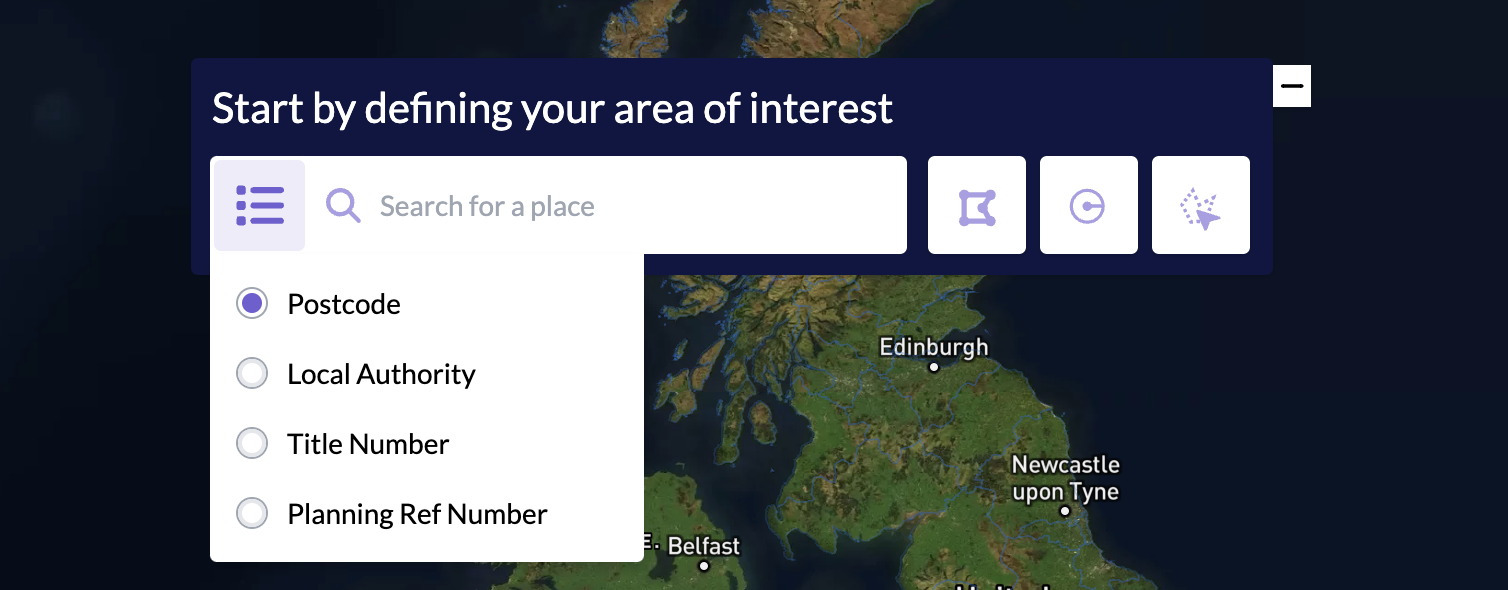
Using the search by feature: either insert text into the search bar or use the bullet list icon on the left of the search bar to define your search further. Options within this include;
- Postcode - this can either be postcode district (NW3) or postcode sector (NW3 2). Alternatively, you can enter a full postcode (NW3 2PY) and a pin will be dropped at this specific location. From here, the custom polygon or radius can be used to expand your search.
- Local Authority - if you are looking for a wider search, this option allows you to search by local council/district, in the case of London this is by borough.
- Title Number - if you are interested in a specific piece of land. Entering the title number from the land registry will take you directly to the plot of land, it also automatically switches on our land ownership functionality, so you can quickly see details and who owns that specific site.
- Planning Reference Number - if you have the unique reference number of a planning application this can also be inserted to pull up a specific application. The format for this is 2023/1116/P
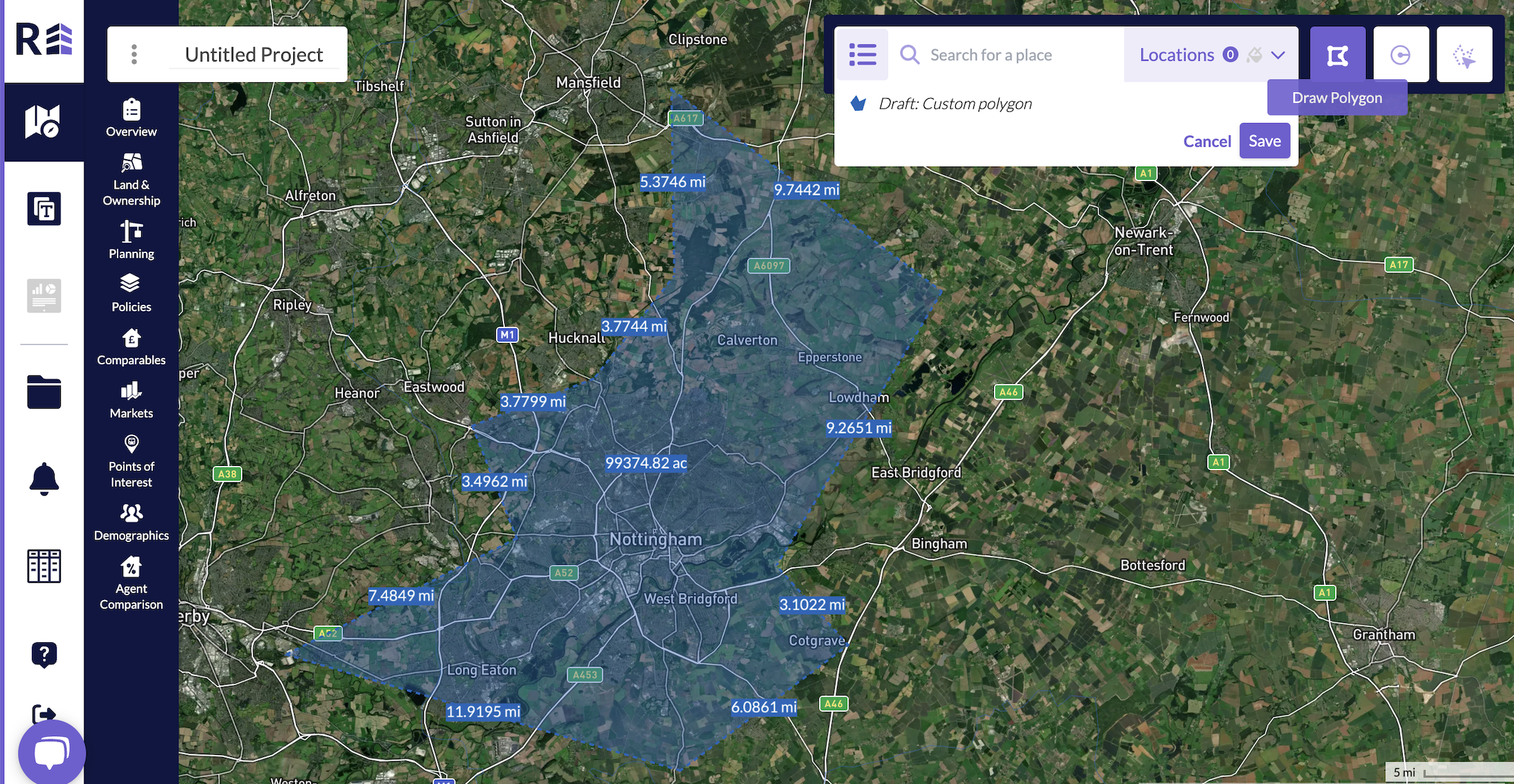
Using the Custom Polygon: if you’re interested in a specific location or area dropping a pin and then creating a custom polygon will allow you to customise your own search, drag and drop the lines until you have the shape you desire, then double click to complete. This is most useful for drawing an area to avoid certain parts of a location e.g. an area of town that is not of interest.
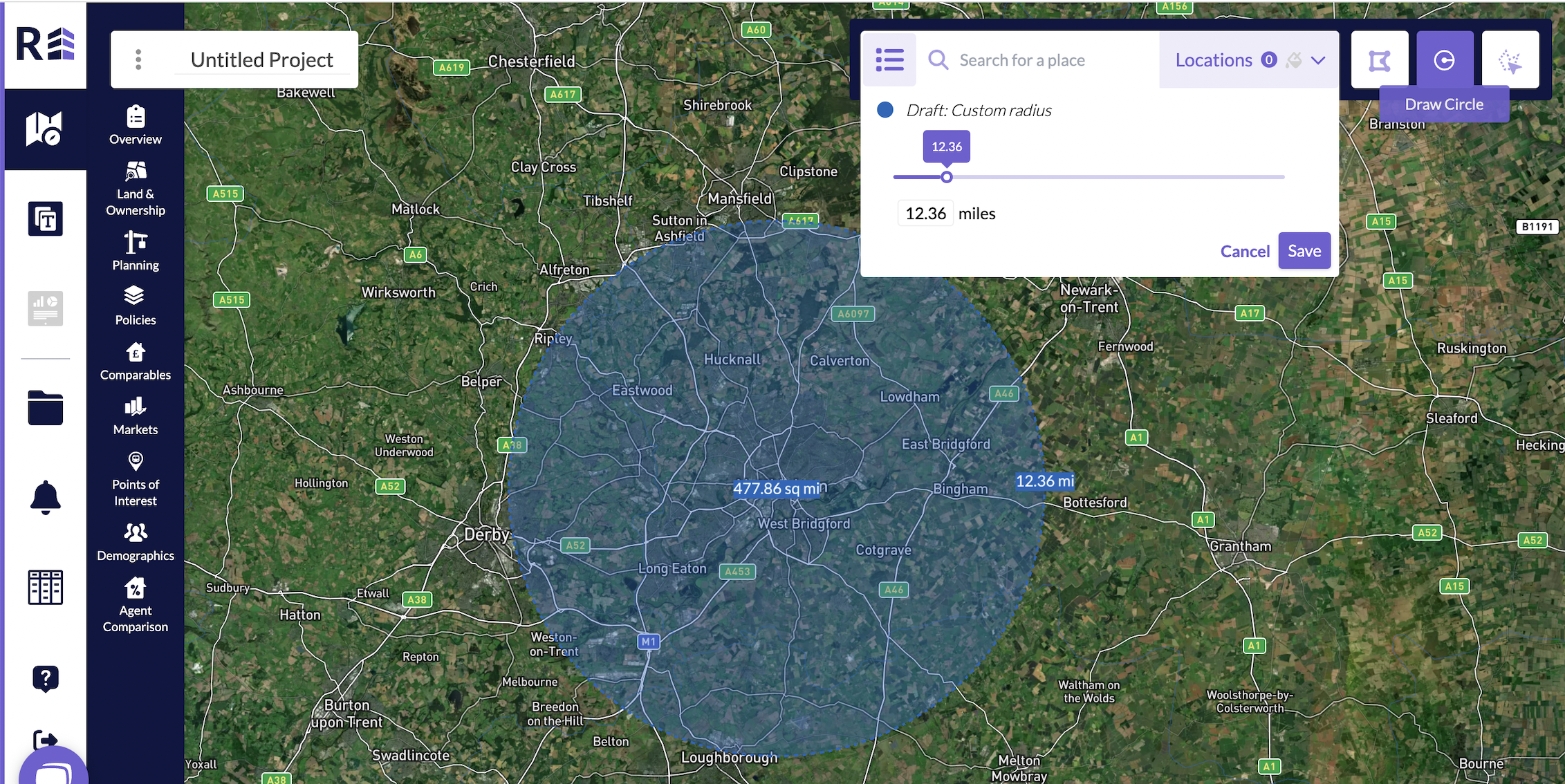
Using the Custom Radius: the custom radius works from dropping a pin and then click and dragging a radius outwards from that pin to a length of your choice. This can also be edited manually in the drop down box. This is most useful if you have a specified radius to search around a land plot, such as 1, 2 or 3 miles.
Was this article helpful?
That’s Great!
Thank you for your feedback
Sorry! We couldn't be helpful
Thank you for your feedback
Feedback sent
We appreciate your effort and will try to fix the article